Product tour

Create in-app product tours that help users understand your product faster

Create in-app product tours that help users understand your product faster

Guide users step by step with interactive in-app tours. Highlight key features, improve onboarding, and drive product adoption—all without writing code.

Guide users step by step with interactive in-app tours. Highlight key features, improve onboarding, and drive product adoption—all without writing code.

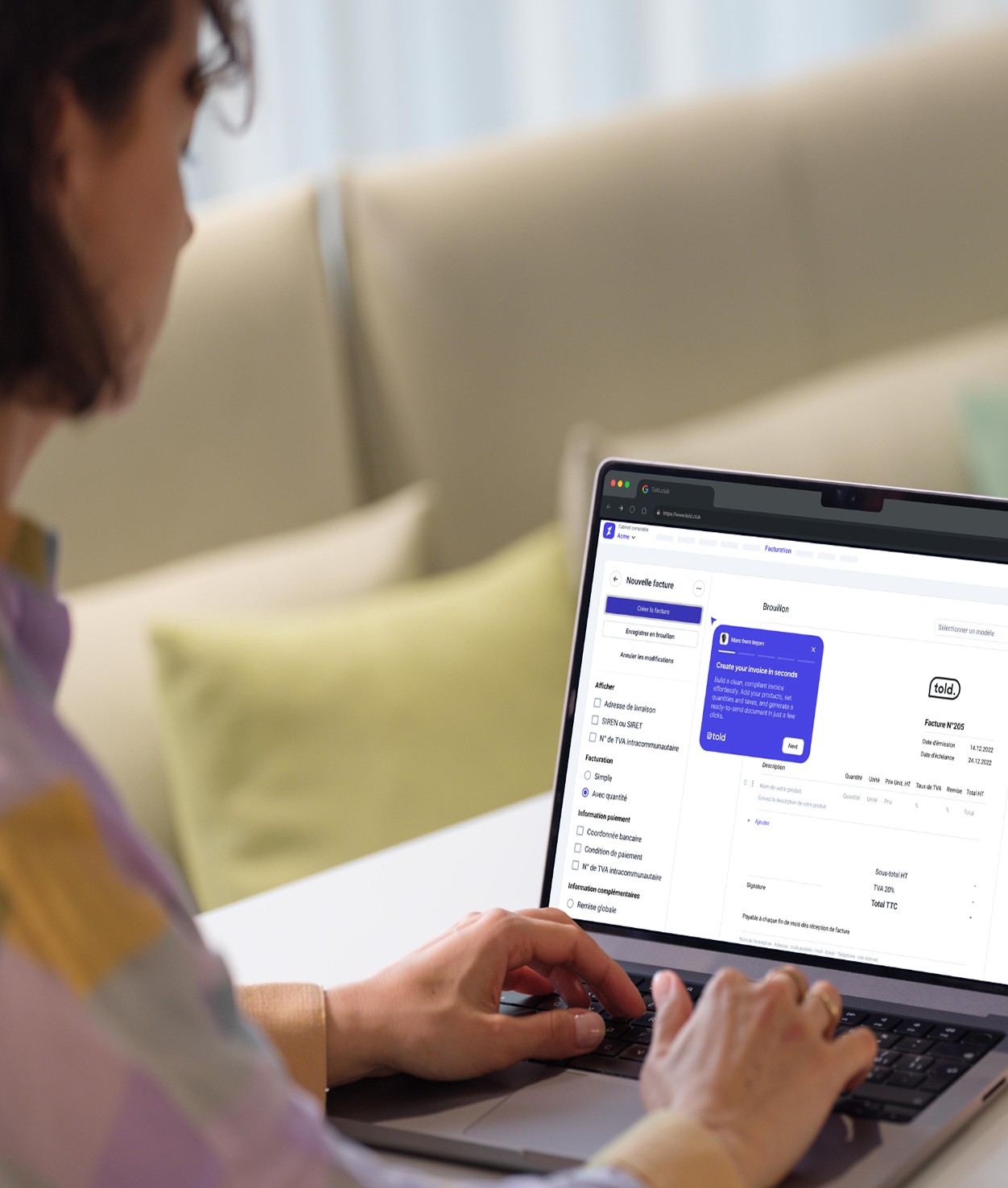
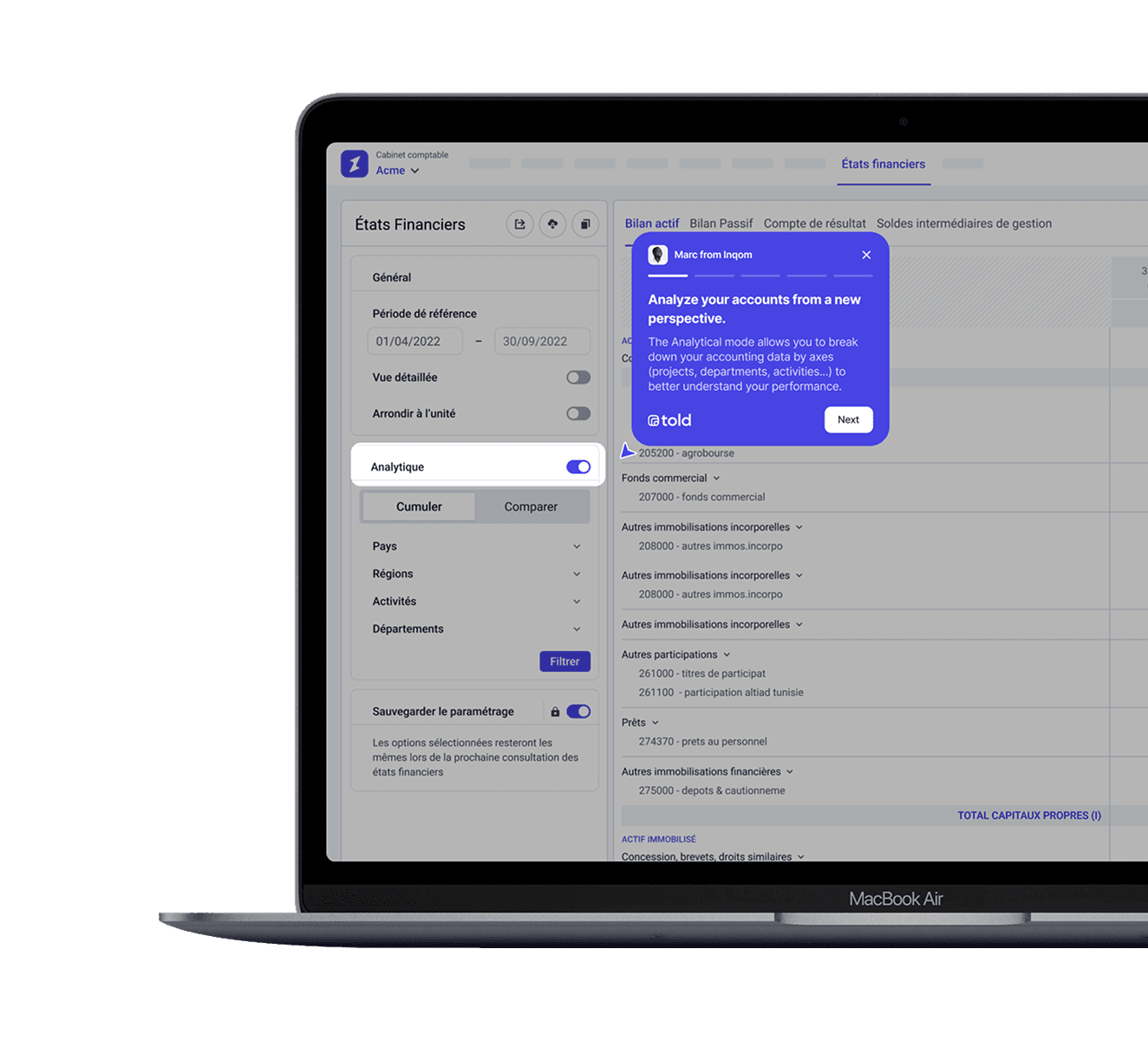
A laptop screen displaying a settings menu with a highlighted product tour in blue.

600+

600+

companies trust us

50,000+

50,000+

end-users guided every month

What is a Product Tour?

What is a Product Tour?

A product tour is an interactive, step-by-step guide that walks users through your software's key features and workflows. Unlike static documentation or video tutorials, product tours provide contextual guidance directly inside your application, helping users learn by doing rather than reading.

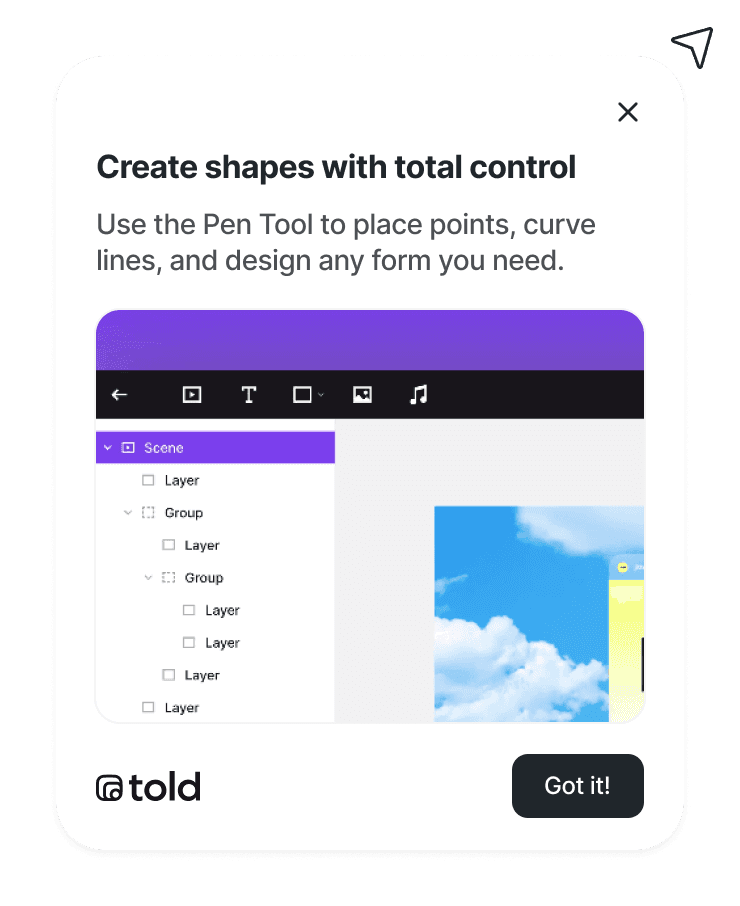
Product tours appear as tooltips, modals, hotspots, or slideouts that highlight specific elements of your interface. They guide users toward their "aha moment" — the point where they truly understand the value of your product.

A product tour is an interactive, step-by-step guide that walks users through your software's key features and workflows. Unlike static documentation or video tutorials, product tours provide contextual guidance directly inside your application, helping users learn by doing rather than reading.

Product tours appear as tooltips, modals, hotspots, or slideouts that highlight specific elements of your interface. They guide users toward their "aha moment" — the point where they truly understand the value of your product.

  • Faster onboarding
    and activation

  • Lower churn and cancellations

  • Higher feature adoption rates

  • Better user experience

    Better user
    experience

How product tours can help you
Announce new features
in context

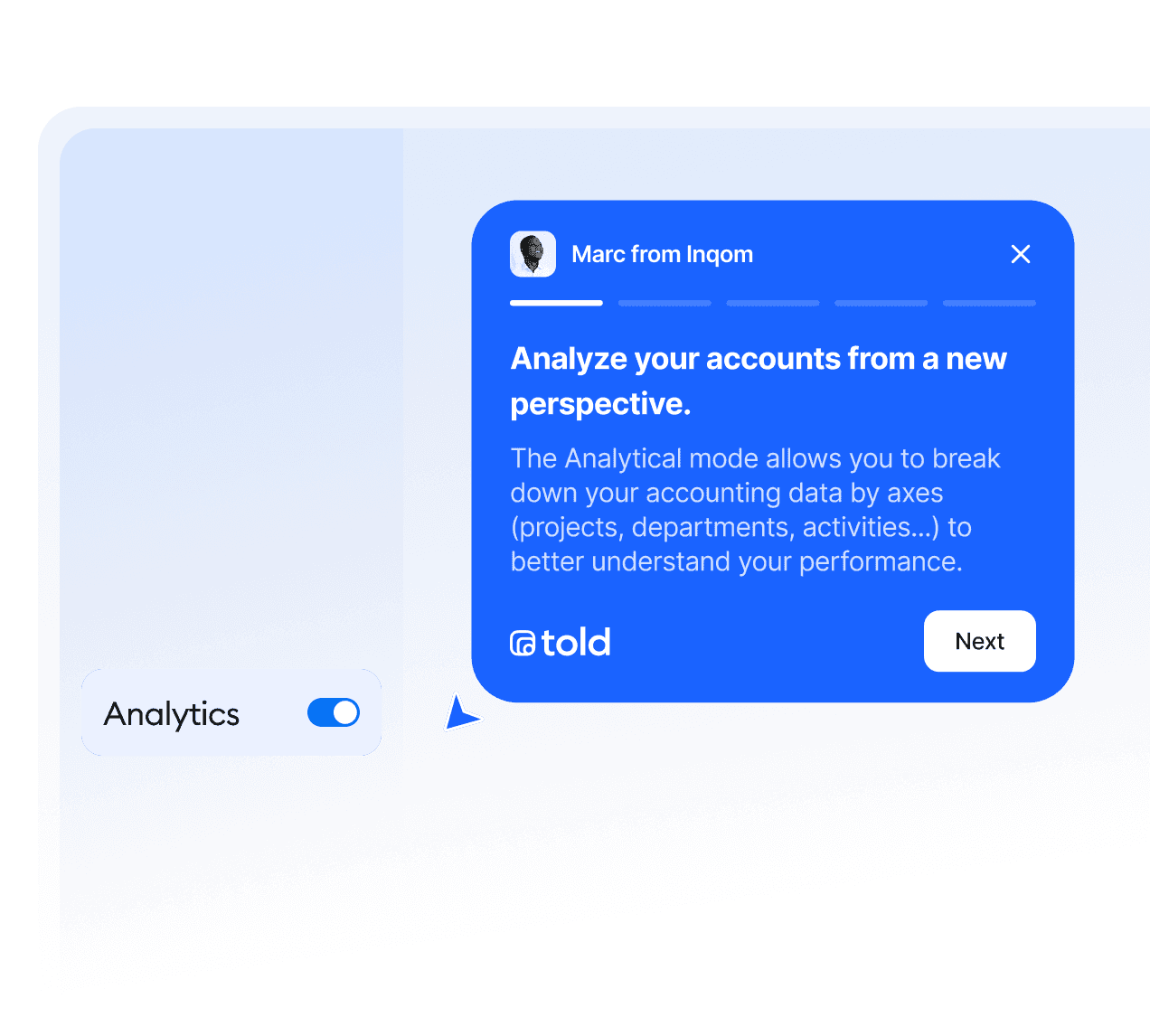
Make sure new updates never go unnoticed. Announce features directly inside your product so users see what’s new exactly when they need it. In-app tours outperform email announcements by improving visibility, understanding, and adoption.

In-app product tour announcing a new feature with a blue tooltip explaining analytics insights inside a software interface.

Announce new features
in context

Make sure new updates never go unnoticed. Announce features directly inside your product so users see what’s new exactly when they need it. In-app tours outperform email announcements by improving visibility, understanding, and adoption.

In-app product tour announcing a new feature with a blue tooltip explaining analytics insights inside a software interface.

Guide new users seamlessly

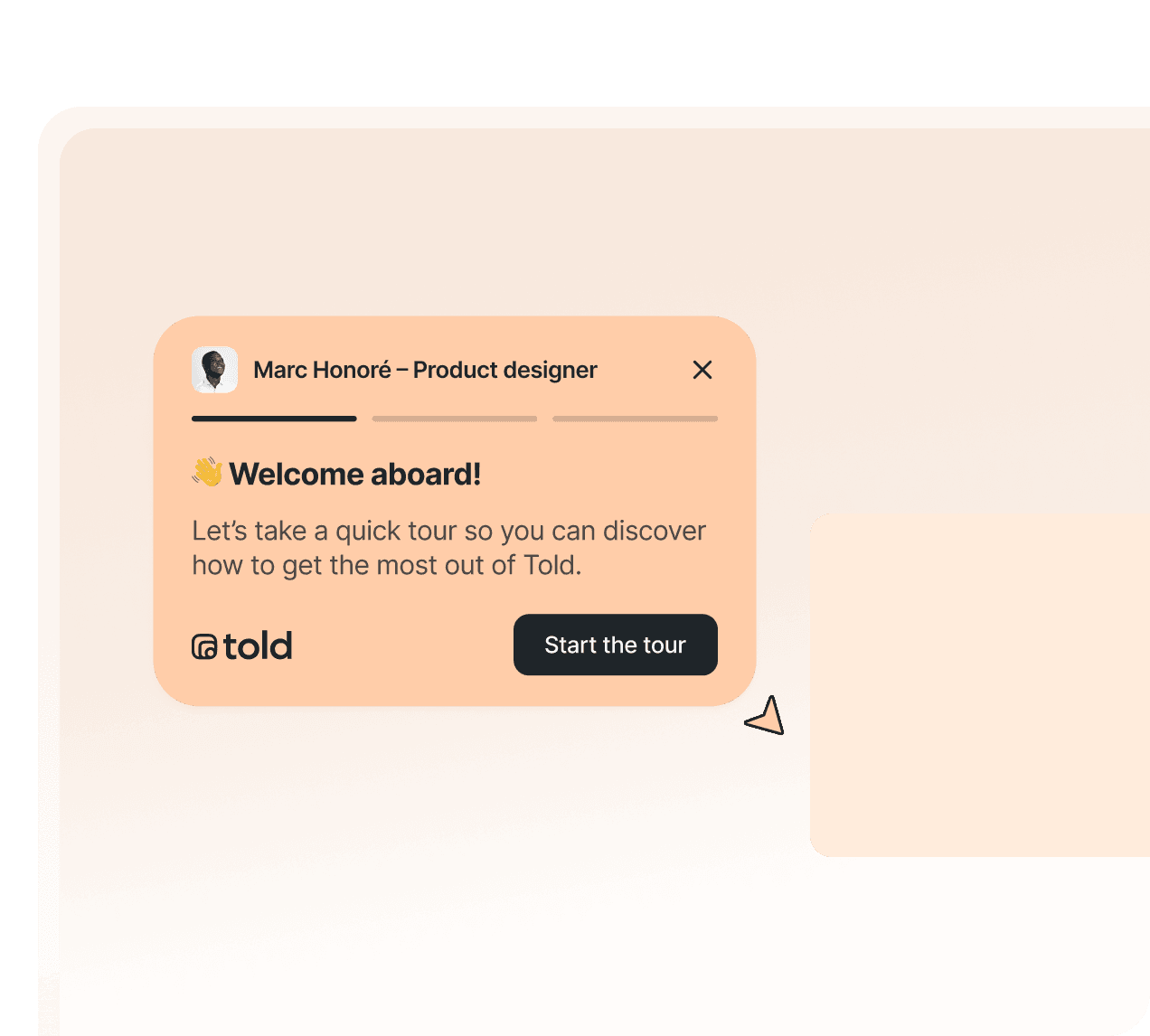
Help new users explore your product step by step. A well-designed onboarding flow highlights key features and drives faster activation. With Told, you can create personalized tours based on roles, goals, or behavior so each user gets guidance tailored to their needs.

In-app onboarding product tour welcoming new users, with a tooltip guiding them step by step through key features of a software interface.

Guide new users seamlessly

Help new users explore your product step by step. A well-designed onboarding flow highlights key features and drives faster activation. With Told, you can create personalized tours based on roles, goals, or behavior so each user gets guidance tailored to their needs.

In-app onboarding product tour welcoming new users, with a tooltip guiding them step by step through key features of a software interface.

Re-engage
inactive users

Re-engage
inactive users

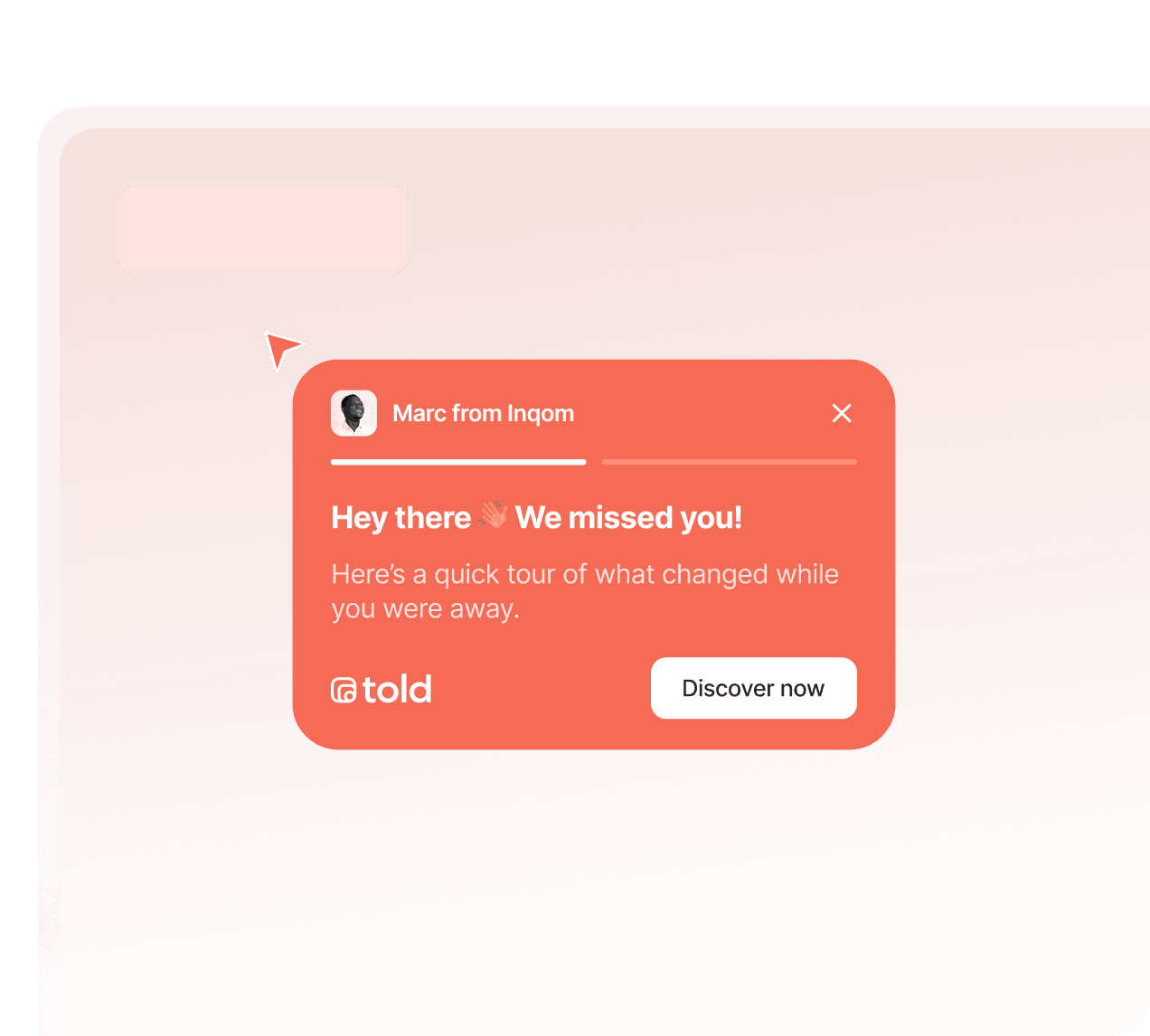
Bring users back to your product with contextual in-app nudges. Create short reminders or walkthroughs that highlight missed value and help users rediscover what matters most.

Bring users back to your product with contextual in-app nudges. Create short reminders or walkthroughs that highlight missed value and help users rediscover what matters most.

In-app product tour re-engaging inactive users with a contextual tooltip highlighting new updates inside a software interface.

Other popular use cases

Other popular use cases

Product tours can support many parts of your user journey. Here are other high-impact use cases where guided flows help users understand, engage, and get value faster.

Product tours can support many parts of your user journey. Here are other high-impact use cases where guided flows help users understand, engage, and get value faster.

  1. Educate free users

    Help free users understand your product before upgrading to paid plans.

  2. Increase workflow adoption

    Guide users through complex workflows
    so they get value faster.

  3. Reduce support tickets

    Guide users through complex workflows so they get value faster.

  4. Reveal hidden features

    Highlight features users often miss or underuse.

  5. Boost trial conversion

    Use personalized tours to help users experience value during trials.

  1. Educate free users

    Help free users understand your product before upgrading to paid plans.

  2. Increase workflow adoption

    Guide users through complex workflows
    so they get value faster.

  3. Reduce support tickets

    Guide users through complex workflows so they get value faster.

  4. Reveal hidden features

    Highlight features users often miss or underuse.

  5. Boost trial conversion

    Use personalized tours to help users experience value during trials.

  1. Educate free users

    Help free users understand your product before upgrading to paid plans.

  2. Increase workflow adoption

    Guide users through complex workflows
    so they get value faster.

  3. Reduce support tickets

    Guide users through complex workflows so they get value faster.

  4. Reveal hidden features

    Highlight features users often miss or underuse.

  5. Boost trial conversion

    Use personalized tours to help users experience value during trials.

How it works?

How it works?

Effortlessly create, customize, and publish interactive product tours that help users discover your features faster — and understand their behavior in real time.

Effortlessly create, customize, and publish interactive product tours that help users discover your features faster — and understand their behavior in real time.

  1. Pin your different points

    Add, reorder, or refine your tour points directly inside Told. Organize your flows, personalize messages, and adapt guidance to each user segment.

    Preview your product tour

    Instantly see how your tour looks and feels from your users' perspective. Test each step, check positioning, and refine your content before going live.
    Optional: let AI generate your copy to save time.

    Edit your product tour

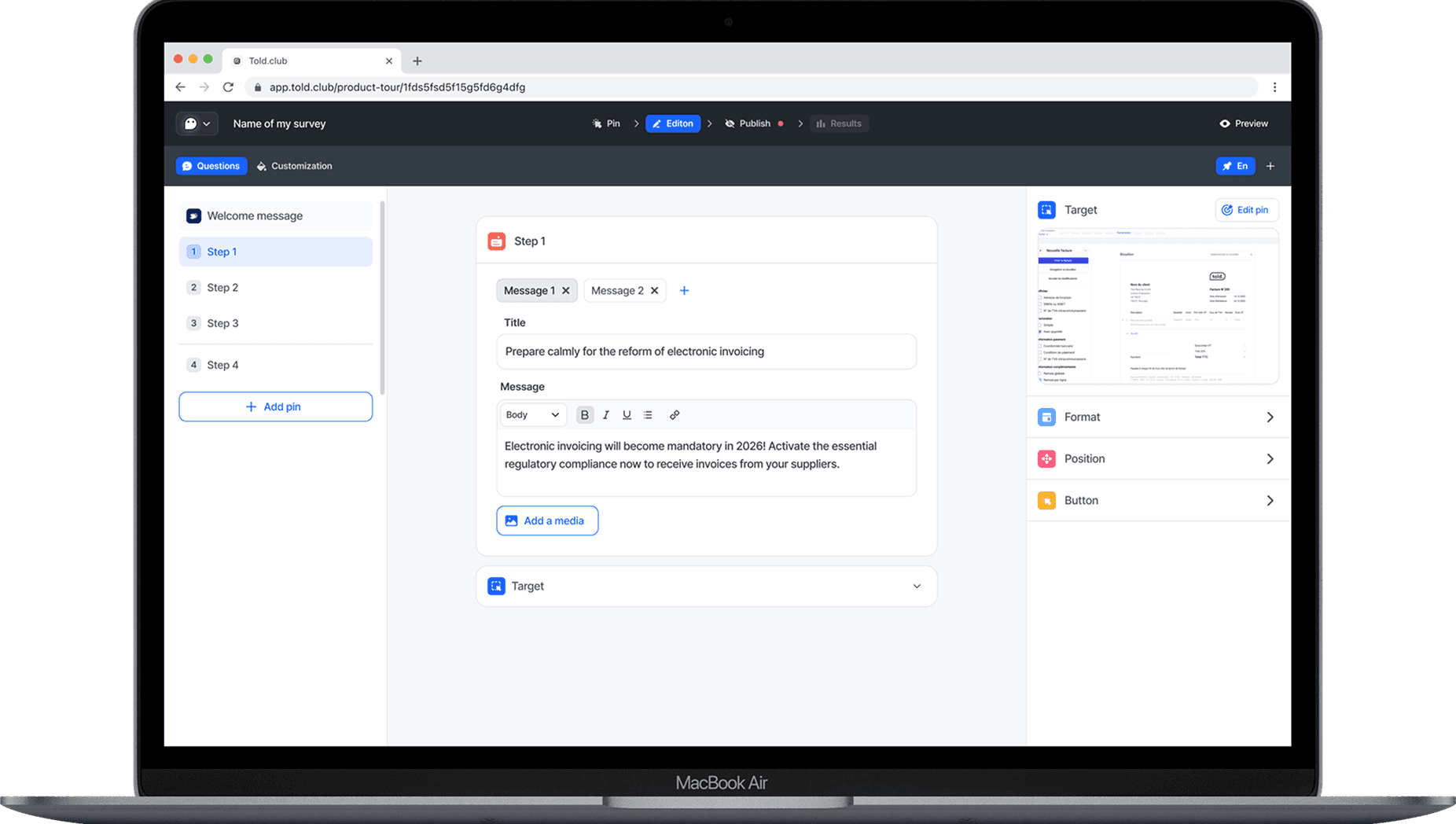
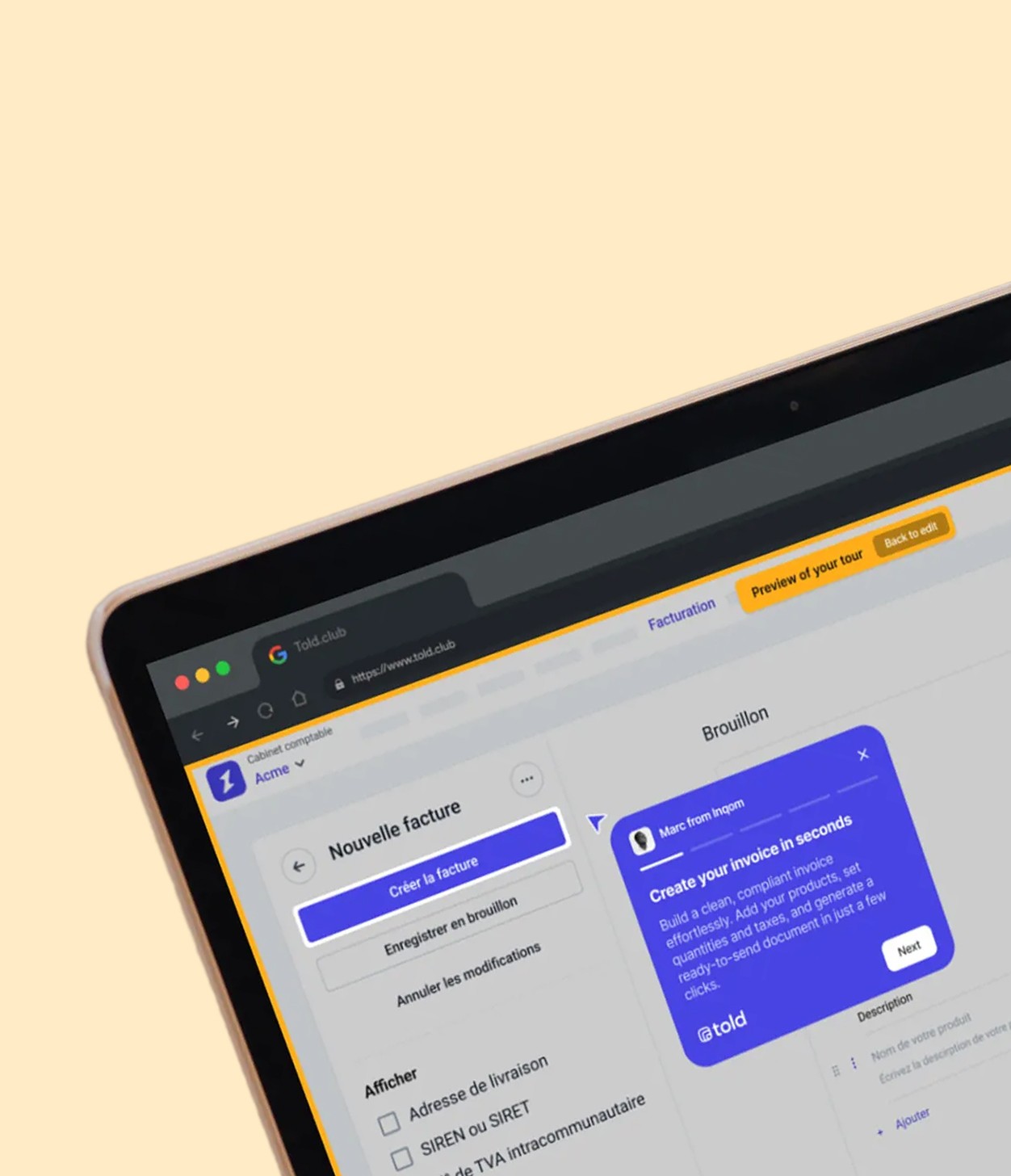
    Customize every step from our intuitive editor: write your messages, adjust tooltip positioning, add images, and configure your buttons. Polish your content until it's perfect, with no code required.

    Custom your product tour

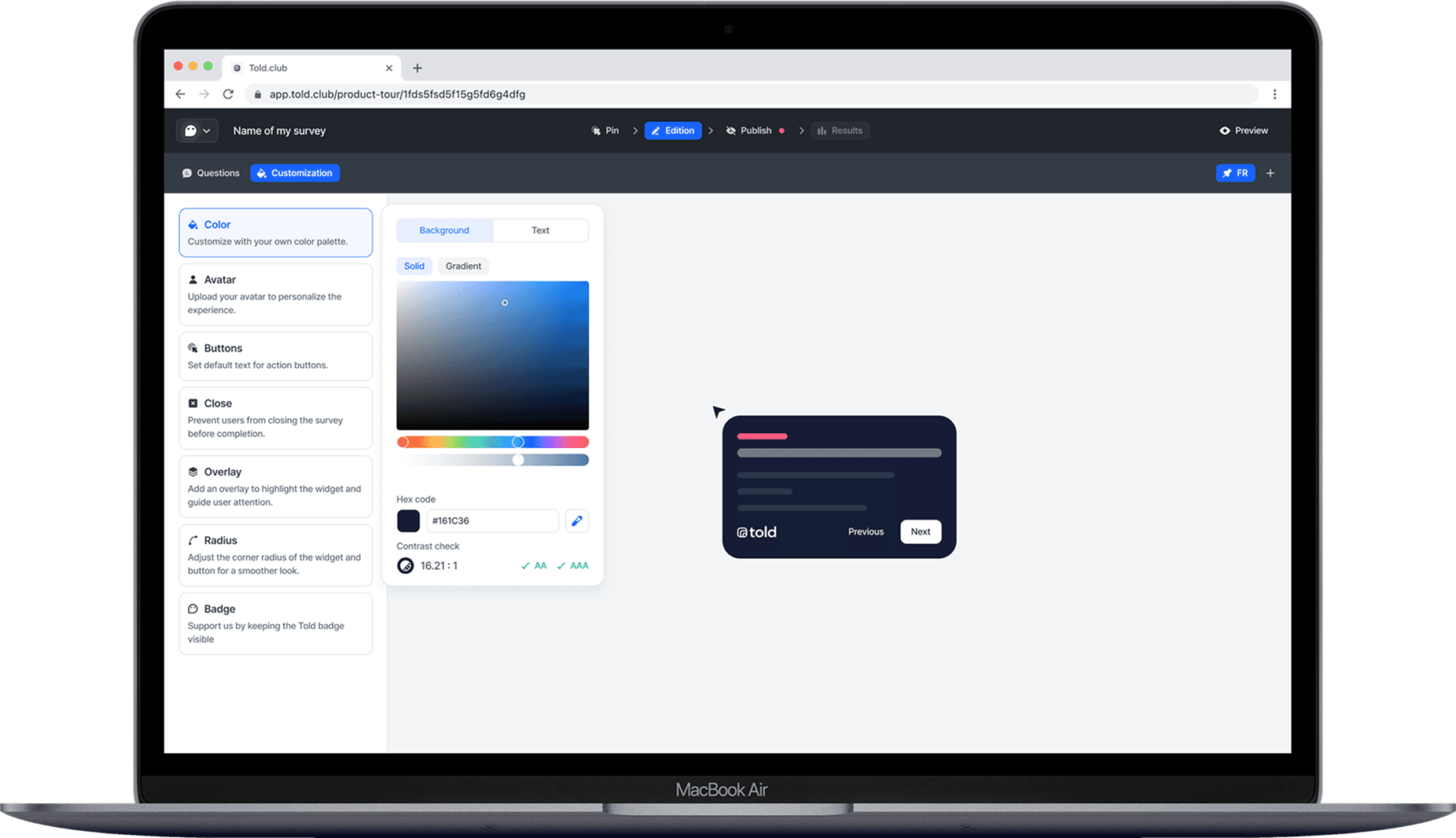
    Apply your colors, tone, and visual identity. Customize button styles, add overlays, and create an experience perfectly consistent with your brand.

    Publish your product tour

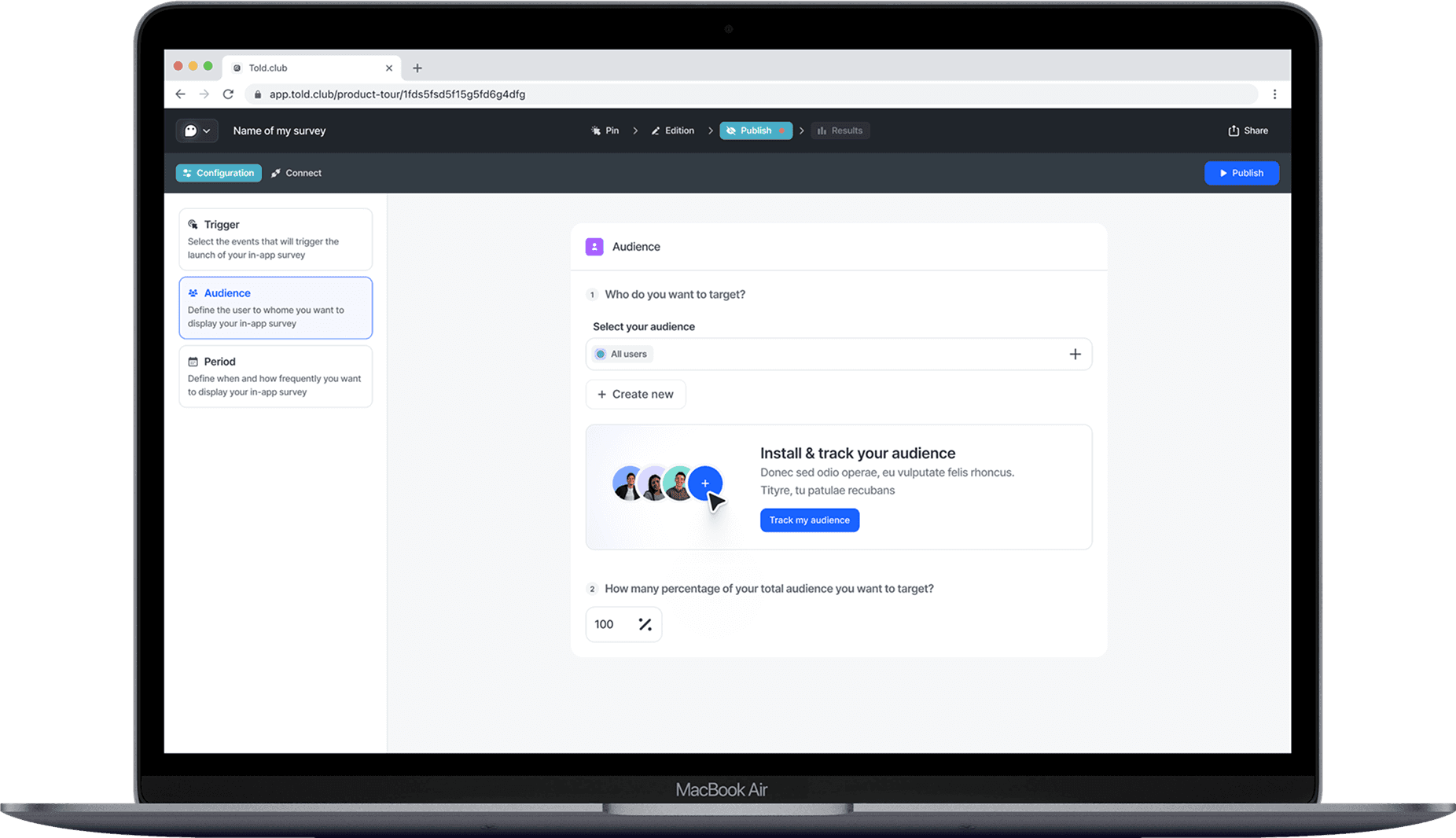
    Precisely target where, when, and to whom your tour appears. Select your user segments, schedule activation, and launch your tour with one click to start guiding users immediately.

  1. Pin your different points

    Add, reorder, or refine your tour points directly inside Told. Organize your flows, personalize messages, and adapt guidance to each user segment.

    Preview your product tour

    Instantly see how your tour looks and feels from your users' perspective. Test each step, check positioning, and refine your content before going live.
    Optional: let AI generate your copy to save time.

    Edit your product tour

    Customize every step from our intuitive editor: write your messages, adjust tooltip positioning, add images, and configure your buttons. Polish your content until it's perfect, with no code required.

    Custom your product tour

    Apply your colors, tone, and visual identity. Customize button styles, add overlays, and create an experience perfectly consistent with your brand.

    Publish your product tour

    Precisely target where, when, and to whom your tour appears. Select your user segments, schedule activation, and launch your tour with one click to start guiding users immediately.

  1. Pin your different points

    Add, reorder, or refine your tour points directly inside Told. Organize your flows, personalize messages, and adapt guidance to each user segment.

    Preview your product tour

    Instantly see how your tour looks and feels from your users' perspective. Test each step, check positioning, and refine your content before going live.
    Optional: let AI generate your copy to save time.

    Edit your product tour

    Customize every step from our intuitive editor: write your messages, adjust tooltip positioning, add images, and configure your buttons. Polish your content until it's perfect, with no code required.

    Custom your product tour

    Apply your colors, tone, and visual identity. Customize button styles, add overlays, and create an experience perfectly consistent with your brand.

    Publish your product tour

    Precisely target where, when, and to whom your tour appears. Select your user segments, schedule activation, and launch your tour with one click to start guiding users immediately.

Personalized product tours

Personalized product tours

Effortlessly connect with frequent users using our audience feature to deliver personalized product tours that adapt to each user’s experience and needs.

Effortlessly connect with frequent users using our audience feature to deliver personalized product tours that adapt to each user’s experience and needs.

GDPR compliant

GDPR compliant

Effortlessly connect with frequent users using our audience feature to deliver personalized product tours that adapt to each user’s experience and needs.

Effortlessly connect with frequent users using our audience feature to deliver personalized product tours that adapt to each user’s experience and needs.

Customize
to your brand

Customize
to your brand

Apply your colors, tone of voice, or visual identity to keep your onboarding consistent across every touchpoint.

Apply your colors, tone of voice, or visual identity to keep your onboarding consistent across every touchpoint.

AI that writes your
onboarding for you.

AI that writes your
onboarding for you.

Instant, structured steps that help users understand your product faster.

Instant, structured steps that help users understand your product faster.

Make your onboarding alive with animations

Enhance every step of your onboarding with subtle animations designed to guide users and improve understanding.

Make your onboarding alive with animations

Enhance every step of your onboarding with subtle animations designed to guide users and improve understanding.

Customize
to your brand

Customize
to your brand

Customize
to your brand

Customize
to your brand

Apply your colors, tone of voice, or visual identity to keep your onboarding consistent across every touchpoint.

Apply your colors, tone of voice, or visual identity to keep your onboarding consistent across every touchpoint.

Easily preview
your tour

Instantly see how your tour looks and feels, so you can refine and launch with confidence.

Easily preview
your tour

Instantly see how your tour looks and feels, so you can refine and launch with confidence.

See what works—improve instantly

See what works—improve instantly

Measure completion, drop-off, and engagement to refine your onboarding and increase adoption.

Measure completion, drop-off, and engagement to refine your onboarding and increase adoption.

Who is this for?

Product tours bring value across many roles. Here’s who benefits the most from guided in-app flows and step-by-step onboarding experiences.

Product managers

Improve onboarding, feature adoption, and user activation.

Designers

Create clean, intuitive walkthroughs
that elevate the product experience.

Customer success

Reduce support requests and help users reach value faster.

Marketing teams

Announce new features and highlight key user moments.

Sales teams

Showcase product value during demos
and shorten the sales cycle.

SaaS founders

Understand user behavior and improve activation, retention, and engagement.

Why choose a no-code product tour over a home-made one?

Why choose a no-code product tour over a home-made one?

Here’s why no-code in-app flows outperform internally developed solutions.

Here’s why no-code in-app flows outperform internally developed solutions.

Home-made
product tours

Building and maintaining your own product tour system is slow, expensive, and hard to scale.

Long development time

High engineering cost

Technical complexity

Hard to update without breaking things

No built-in analytics

Team-dependent

Told lets teams create product tours in minutes — no engineering needed, fully measurable and easy to scale.

No-code, fast to build

In-context personalization

Built-in analytics

Safe updates (no risk for the app)

Lower total cost

Cross-team friendly

Some cool features you will love

Because it's more than just a popup.

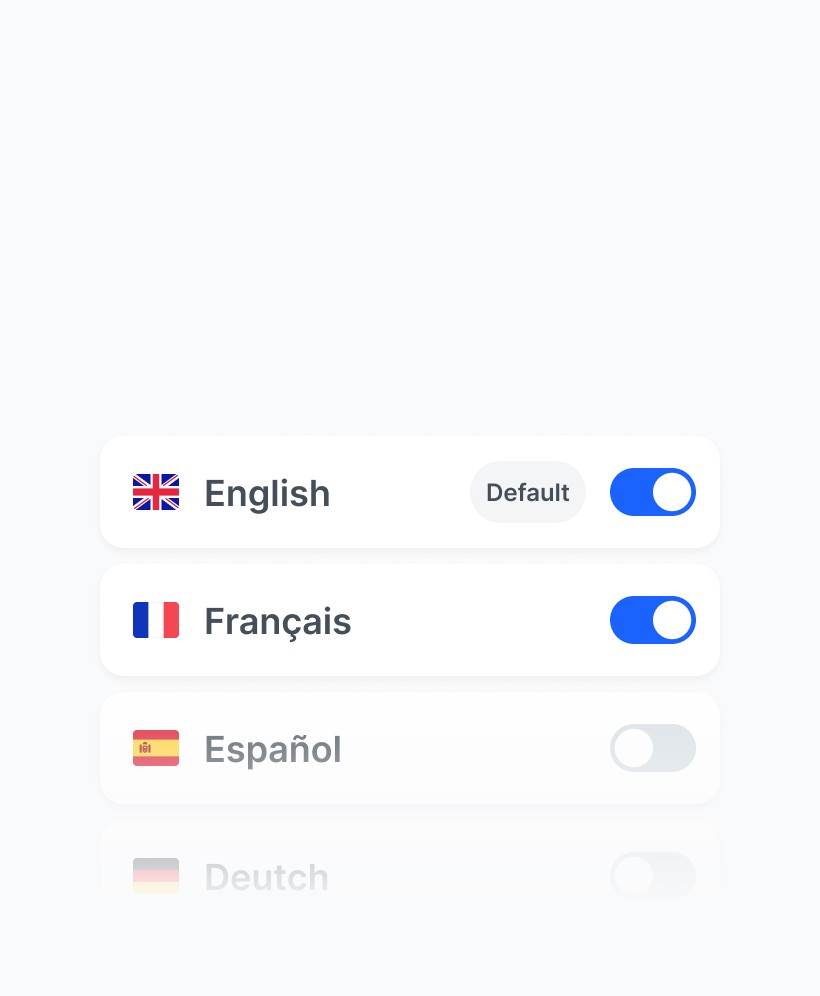
  • Multilanguage survey

    Add several languages to your questionnaire to make it easier for everyone to understand.

  • Customize buttons

    Customize your calls to action to increase your response rate.

  • Some Ai...et voilà!

    Enhance your question formulation with AI and translate your survey in seconds.

  • Conditional structure

    Use conditional structures to create specific routes based on the answers given.

  • GDPR consent

    Collect personal data using our consent widget, which you can easily integrate into your website.

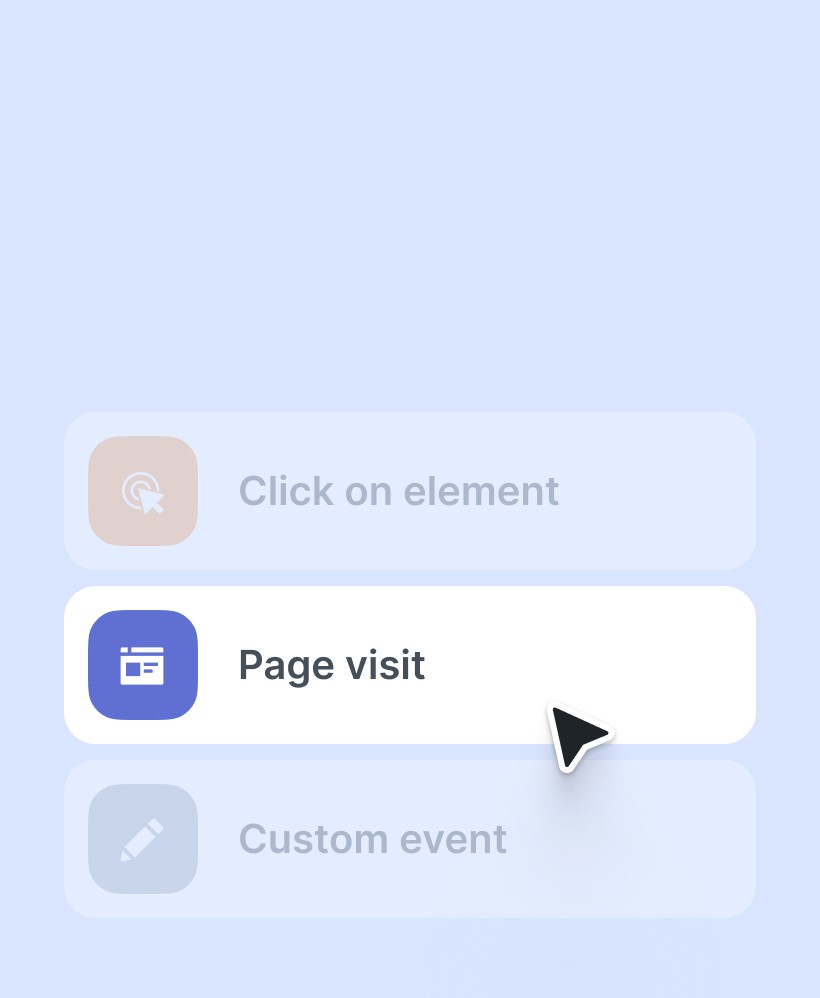
  • No-code triggers

    Launch your survey with no-code triggers in seconds without developers.

  • Filter datas

    Filter the data that interests you in just a few clicks and understand it at a glance.

  • Multilanguage survey

    Add several languages to your questionnaire to make it easier for everyone to understand.

  • Customize buttons

    Customize your calls to action to increase your response rate.

  • Some Ai...et voilà!

    Enhance your question formulation with AI and translate your survey in seconds.

  • Conditional structure

    Use conditional structures to create specific routes based on the answers given.

  • GDPR consent

    Collect personal data using our consent widget, which you can easily integrate into your website.

  • No-code triggers

    Launch your survey with no-code triggers in seconds without developers.

  • Filter datas

    Filter the data that interests you in just a few clicks and understand it at a glance.

  • Multilanguage survey

    Add several languages to your questionnaire to make it easier for everyone to understand.

  • Customize buttons

    Customize your calls to action to increase your response rate.

  • Some Ai...et voilà!

    Enhance your question formulation with AI and translate your survey in seconds.

  • Conditional structure

    Use conditional structures to create specific routes based on the answers given.

  • GDPR consent

    Collect personal data using our consent widget, which you can easily integrate into your website.

  • No-code triggers

    Launch your survey with no-code triggers in seconds without developers.

  • Filter datas

    Filter the data that interests you in just a few clicks and understand it at a glance.

They already loved told

Using Told's survey tool has been a breeze—super easy to set up, with engaging design and a smooth UX. We really appreciate the reporting dashboard that gives us clear insights fast, making it so much easier to understand and use the feedback we collect.

Using Told's survey tool has been a breeze—super easy to set up, with engaging design and a smooth UX. We really appreciate the reporting dashboard that gives us clear insights fast, making it so much easier to understand and use the feedback we collect.

Using Told's survey tool has been a breeze—super easy to set up, with engaging design and a smooth UX. We really appreciate the reporting dashboard that gives us clear insights fast, making it so much easier to understand and use the feedback we collect.

Salomé L.

Salomé L.

Human Ressources @Heypongo

Human Ressources @Heypongo

FAQ

What's the difference between a product tour and a product walkthrough?

A product tour is typically a guided experience that introduces users to key features through tooltips and highlights. A product walkthrough is more hands-on, requiring users to complete specific actions as they learn. Told supports both approaches — you can create passive tours that users simply read through, or interactive walkthroughs where users must click buttons or fill fields to progress.

What's the difference between a product tour and a product walkthrough?

A product tour is typically a guided experience that introduces users to key features through tooltips and highlights. A product walkthrough is more hands-on, requiring users to complete specific actions as they learn. Told supports both approaches — you can create passive tours that users simply read through, or interactive walkthroughs where users must click buttons or fill fields to progress.

What's the difference between a product tour and a product walkthrough?

A product tour is typically a guided experience that introduces users to key features through tooltips and highlights. A product walkthrough is more hands-on, requiring users to complete specific actions as they learn. Told supports both approaches — you can create passive tours that users simply read through, or interactive walkthroughs where users must click buttons or fill fields to progress.

Do I need coding skills to create product tours with Told?

No. Told is a completely no-code solution. Our visual editor lets you point-and-click to select elements, add content, and style your tours. You'll need to install a small code snippet once (or use our browser extension), but after that, everything is managed through our dashboard. Most users create their first tour in under 15 minutes.

Do I need coding skills to create product tours with Told?

No. Told is a completely no-code solution. Our visual editor lets you point-and-click to select elements, add content, and style your tours. You'll need to install a small code snippet once (or use our browser extension), but after that, everything is managed through our dashboard. Most users create their first tour in under 15 minutes.

Do I need coding skills to create product tours with Told?

No. Told is a completely no-code solution. Our visual editor lets you point-and-click to select elements, add content, and style your tours. You'll need to install a small code snippet once (or use our browser extension), but after that, everything is managed through our dashboard. Most users create their first tour in under 15 minutes.

How do I measure the effectiveness of my product tours?

Told provides built-in analytics for every tour. You can track views, start rates, completion rates, and drop-off points for each step. For deeper analysis, connect Told to your analytics tools (Segment, Mixpanel, Amplitude) to see how tour engagement correlates with activation, retention, and conversion metrics. We recommend setting specific goals — like "user completes first project" — and measuring how tours impact that goal.

How do I measure the effectiveness of my product tours?

Told provides built-in analytics for every tour. You can track views, start rates, completion rates, and drop-off points for each step. For deeper analysis, connect Told to your analytics tools (Segment, Mixpanel, Amplitude) to see how tour engagement correlates with activation, retention, and conversion metrics. We recommend setting specific goals — like "user completes first project" — and measuring how tours impact that goal.

How do I measure the effectiveness of my product tours?

Told provides built-in analytics for every tour. You can track views, start rates, completion rates, and drop-off points for each step. For deeper analysis, connect Told to your analytics tools (Segment, Mixpanel, Amplitude) to see how tour engagement correlates with activation, retention, and conversion metrics. We recommend setting specific goals — like "user completes first project" — and measuring how tours impact that goal.

Can I show different tours to different users?

Yes. Told's audience segmentation lets you target tours based on user attributes (role, plan type, signup date), behavior (pages visited, actions completed), or custom properties you pass from your product. For example, you can show an "Admin Setup" tour only to users with admin roles, or trigger a "Feature Discovery" tour only for users who haven't used a specific feature yet.

Can I show different tours to different users?

Yes. Told's audience segmentation lets you target tours based on user attributes (role, plan type, signup date), behavior (pages visited, actions completed), or custom properties you pass from your product. For example, you can show an "Admin Setup" tour only to users with admin roles, or trigger a "Feature Discovery" tour only for users who haven't used a specific feature yet.

Can I show different tours to different users?

Yes. Told's audience segmentation lets you target tours based on user attributes (role, plan type, signup date), behavior (pages visited, actions completed), or custom properties you pass from your product. For example, you can show an "Admin Setup" tour only to users with admin roles, or trigger a "Feature Discovery" tour only for users who haven't used a specific feature yet.

How long should a product tour be?

We recommend keeping tours between 3-7 steps for optimal completion rates. Research shows that tours longer than 10 steps see significant drop-off. Focus on the most critical actions that deliver immediate value. You can always create multiple short tours for different features rather than one long comprehensive tour. For onboarding, consider using a checklist that guides users through several mini-tours over time.

How long should a product tour be?

We recommend keeping tours between 3-7 steps for optimal completion rates. Research shows that tours longer than 10 steps see significant drop-off. Focus on the most critical actions that deliver immediate value. You can always create multiple short tours for different features rather than one long comprehensive tour. For onboarding, consider using a checklist that guides users through several mini-tours over time.

How long should a product tour be?

We recommend keeping tours between 3-7 steps for optimal completion rates. Research shows that tours longer than 10 steps see significant drop-off. Focus on the most critical actions that deliver immediate value. You can always create multiple short tours for different features rather than one long comprehensive tour. For onboarding, consider using a checklist that guides users through several mini-tours over time.

Does Told work on mobile apps?

Told currently focuses on web applications and responsive web apps. For native iOS and Android apps, check out our Mobile In-App Survey product, which provides similar guidance capabilities for mobile environments. We're actively developing native mobile product tour support — contact us if you'd like early access.

Does Told work on mobile apps?

Told currently focuses on web applications and responsive web apps. For native iOS and Android apps, check out our Mobile In-App Survey product, which provides similar guidance capabilities for mobile environments. We're actively developing native mobile product tour support — contact us if you'd like early access.

Does Told work on mobile apps?

Told currently focuses on web applications and responsive web apps. For native iOS and Android apps, check out our Mobile In-App Survey product, which provides similar guidance capabilities for mobile environments. We're actively developing native mobile product tour support — contact us if you'd like early access.

How does Told compare to Appcues, UserGuiding, or Chameleon?

While those tools focus exclusively on product tours and onboarding, Told combines product tours with powerful in-app surveys. This integration lets you guide users AND collect feedback in one platform. Told is also more affordable for growing teams and includes AI-powered content generation that competitors charge extra for. If you need a complete user engagement solution (not just tours), Told offers better value.

How does Told compare to Appcues, UserGuiding, or Chameleon?

While those tools focus exclusively on product tours and onboarding, Told combines product tours with powerful in-app surveys. This integration lets you guide users AND collect feedback in one platform. Told is also more affordable for growing teams and includes AI-powered content generation that competitors charge extra for. If you need a complete user engagement solution (not just tours), Told offers better value.

How does Told compare to Appcues, UserGuiding, or Chameleon?

While those tools focus exclusively on product tours and onboarding, Told combines product tours with powerful in-app surveys. This integration lets you guide users AND collect feedback in one platform. Told is also more affordable for growing teams and includes AI-powered content generation that competitors charge extra for. If you need a complete user engagement solution (not just tours), Told offers better value.

What's the pricing for Told's product tours?

Product tours are included in all Told plans. We offer a free tier to get started, and paid plans start at $XX/month based on the number of monthly active users. Unlike some competitors, we don't charge per tour or limit the number of tours you can create. See our pricing page for full details and to calculate your cost based on your traffic.

What's the pricing for Told's product tours?

Product tours are included in all Told plans. We offer a free tier to get started, and paid plans start at $XX/month based on the number of monthly active users. Unlike some competitors, we don't charge per tour or limit the number of tours you can create. See our pricing page for full details and to calculate your cost based on your traffic.

What's the pricing for Told's product tours?

Product tours are included in all Told plans. We offer a free tier to get started, and paid plans start at $XX/month based on the number of monthly active users. Unlike some competitors, we don't charge per tour or limit the number of tours you can create. See our pricing page for full details and to calculate your cost based on your traffic.

What should be your next move on your product ?

Unlock deep insights into your users' needs and harness this knowledge to consistently refine your product or service.

What should be your next move on your product ?

Unlock deep insights into your users' needs and harness this knowledge to consistently refine your product or service.

What should be your next move on your product ?

Unlock deep insights into your users' needs and harness this knowledge to consistently refine your product or service.